Updated: May 2026 • Based on UK Law
What Is a Working from Home Risk Assessment?
A working from home risk assessment evaluates the health and safety risks employees face when working remotely — covering workstation setup, display screen equipment, electrical safety, fire hazards, mental health, and isolation. Required under the MHSWR 1999 and DSE Regulations 1992.
This guide covers UK home working law for employers, what to assess, equipment obligations, monitoring rules, and how to handle flexible working requests.
An employer’s duty of care doesn’t stop at the office door.
Even when employees work from home, employers remain legally responsible for their health and safety.
✓ Working from Home Risk Assessment Template (UK)
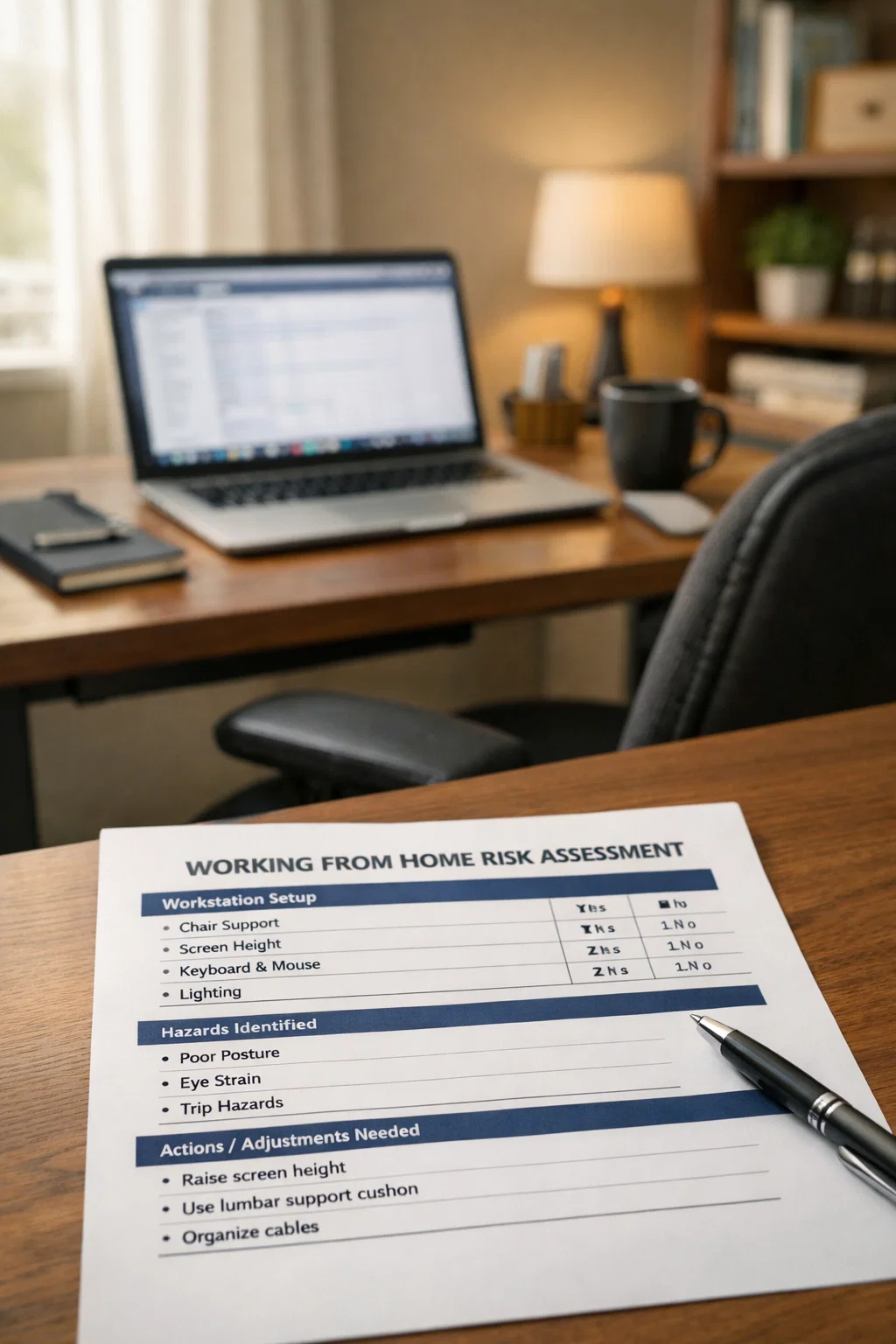
Answer guided questions or use the classic editor — your WFH risk assessment is built for you. Covers workstation setup, DSE requirements, electrical safety, fire hazards, mental wellbeing, and lone working. Structured following the MHSWR 1999 and DSE Regulations 1992. Preview every section before buying — only pay when you’re happy with it.
→ Build Your WFH Risk Assessment
Have hybrid workers too? The risk assessment covers their home days — pair it with our Hybrid Working Policy Template for the HR side (eligibility, working hours, equipment, performance).
Need all 5 workplace essentials? Save 42% with the Workplace Essentials Pack — DSE Assessment, Manual Handling Risk Assessment, Working from Home Risk Assessment, Accident Report Form & First Aid Policy. Just £29, lifetime access, lifetime updates.
Why Do Home Workers Need a Risk Assessment?
The Health and Safety at Work Act 1974 requires employers to protect the health, safety, and welfare of all employees — wherever they work.
That includes the kitchen table, the spare bedroom, and the sofa.
Working from home introduces risks that don’t exist in an office:
-
- Poor workstation setup — dining chairs, laptops on laps, screens at the wrong height
-
- Musculoskeletal disorders — back pain, neck pain, and upper limb problems from prolonged bad posture
-
- Eye strain — from screens without proper lighting or positioning
-
- Mental health — isolation, blurred work-life boundaries, stress from always being “on”
-
- Electrical safety — overloaded sockets, trailing cables, damaged equipment
-
- Fire safety — no smoke alarm testing, blocked escape routes
A home working risk assessment identifies these hazards before they cause harm.
Is a Working from Home Risk Assessment a Legal Requirement?
Yes.
Two sets of regulations apply:
The Management of Health and Safety at Work Regulations 1999 — Regulation 3 requires a “suitable and sufficient” risk assessment for all employees.
This includes those who work from home.
The Health and Safety (Display Screen Equipment) Regulations 1992 — if a home worker uses a screen for more than an hour a day, the employer must assess their home workstation.
These obligations apply whether the employee works from home full-time, part-time, or on a hybrid basis.
The assessment can be done remotely — via a self-assessment form, video call, or questionnaire.
But it must be done. And the employer must act on the findings.
What Should a Working from Home Risk Assessment Cover?
Workstation and DSE:
-
- Is the screen at arm’s length, with the top at or just below eye level?
-
- Is there a separate keyboard and mouse (essential for prolonged laptop use)?
-
- Does the chair have adjustable height and back support?
-
- Is there adequate desk space?
Environment:
-
- Is the lighting adequate and free from screen glare?
-
- Is the temperature comfortable?
-
- Is the noise level acceptable for concentration?
Electrical safety:
-
- Are sockets overloaded?
-
- Are cables trailing across walkways?
-
- Is all equipment in good condition?
Fire safety:
-
- Is there a working smoke alarm?
-
- Are escape routes clear?
Mental health and wellbeing:
-
- Does the employee feel isolated?
-
- Are work-life boundaries clear?
-
- Is there regular contact with their manager and team?
-
- Are working hours being monitored to prevent overwork?
Do Employers Have to Provide Equipment for Working from Home?
There is no blanket legal requirement for employers to provide all home working equipment.
However, several obligations create a practical duty to do so:
-
- HSWA 1974 — the employer must ensure the health and safety of employees so far as reasonably practicable. If the home workstation is unsafe, the employer must act.
-
- DSE Regulations 1992 — if the risk assessment identifies that the employee needs a separate keyboard, mouse, laptop riser, or proper chair, the employer should provide it.
-
- Equality Act 2010 — if the employee has a disability, the employer must make “reasonable adjustments,” which can include providing specialist equipment for the home workspace.
If the employer requires the employee to work from home, the expectation to provide equipment is stronger.
If the employee chooses to work from home, the employer’s obligation is reduced — but does not disappear entirely.
Is Working from Home a Reasonable Adjustment in the UK?
It can be.
Under the Equality Act 2010, employers must make “reasonable adjustments” for employees with a disability.
If working from home would remove or reduce a disadvantage the employee faces because of their disability, it may qualify as a reasonable adjustment.
Examples include employees with mobility impairments, chronic pain conditions, or mental health conditions.
It also applies where commuting or the office environment worsens someone’s symptoms.
The employer cannot refuse simply because “we don’t do home working.”
They must consider the request on its merits.
They can only refuse if the adjustment is genuinely not reasonable — for example, if the role cannot be performed remotely.
Can My Employer Watch Me Through My Laptop Camera?
Not without telling the employee — and not without justification.
UK law does not ban employer monitoring outright. But it imposes strict conditions:
-
- UK GDPR and Data Protection Act 2018 — any monitoring must have a lawful basis, be proportionate, and be necessary for a legitimate purpose
-
- Transparency — employers must tell workers what monitoring takes place, why, and how the data is used
-
- Data Protection Impact Assessment (DPIA) — the employer should carry out a DPIA before introducing camera monitoring
-
- Human Rights Act 1998 — Article 8 protects the worker’s right to privacy in their own home
Constant webcam surveillance of a home worker is almost certainly disproportionate.
The ICO has stated that employers must balance legitimate business interests with workers’ privacy rights.
Covert camera monitoring of home workers without their knowledge is almost always a breach of data protection law — and a significant tribunal and ICO enforcement risk.
Can I Refuse to Go Back to the Office If I Can Work from Home?
Generally, no — unless the employment contract says otherwise.
If the employment contract states the place of work is the office, the employer can require the employee to return.
However, since April 2024, employees have the right to make a statutory flexible working request from day one of employment.
The employer must deal with the request within two months.
They can only refuse on one of eight statutory grounds — including cost, impact on quality, or inability to reorganise work.
If the request relates to a disability, the Equality Act 2010 may require the employer to agree as a reasonable adjustment.
This applies even if they would otherwise refuse on statutory grounds.
Workplace Essentials Pack — All 5 Templates
Complete Workplace Toolkit • DSE, Manual Handling, Home Working, Accident Reporting & First Aid • Save 42% vs Buying Individually
Lifetime Access • Free Updates • 30-Day Money-Back Guarantee*
Frequently Asked Questions
What is an example of a risk assessment for home working?
A typical home working risk assessment is a checklist or questionnaire completed by the employee and reviewed by their manager.
It covers workstation setup, chair and desk suitability, screen positioning, lighting, electrical safety, fire escape routes, and mental wellbeing.
The employer then acts on any issues — providing equipment, adjusting work patterns, or arranging a follow-up assessment.
How often should a home working risk assessment be reviewed?
There is no fixed legal review period.
Review when the employee moves home, changes their workspace, reports discomfort, or changes their working pattern.
Annual review is widely accepted as the minimum standard.
What are the rules for working from home employees?
UK law does not have a single “working from home” statute.
Instead, multiple laws apply: the HSWA 1974 (duty of care), MHSWR 1999 (risk assessments), and DSE Regulations 1992 (workstation assessments).
The Working Time Regulations 1998 (hours and breaks), UK GDPR (data protection), and Equality Act 2010 (reasonable adjustments) also apply.
Is it legal to work from home in the UK?
Yes. There is no law preventing it.
Whether home working is permitted depends on the employment contract, the employer’s policy, and the nature of the role.
What if I’m injured while working from home?
A work-related injury at home can count as a workplace injury.
The HSE states that an incident may be reportable under RIDDOR if it occurred as a result of the work activity or the work environment.
Whether the employer is liable depends on whether they carried out a risk assessment and took reasonable steps to reduce the risk.
The Truth About “Free” Legal Template Sites (What You’re Really Signing Up For)
Most websites offering a “free legal template” follow the same pattern:
-
- You click because it’s advertised as free
-
- You spend 10–15 minutes answering questions
-
- At the very end, you must create an account or start a “free trial”
-
- Your card is required upfront
-
- The subscription auto-renews at £29–£39 per month
This isn’t a free template – it’s a subscription service. Many people only realise after being charged £300–£400 over the year.
Why These “Free” Templates Are a Legal Risk
-
- Outdated wording: not aligned with current UK law
-
- Missing mandatory clauses: required for legal validity
-
- No compliance guidance: leaving users without legal context
-
- No structured checklist: no way to verify the document works
-
- Not kept updated: often unchanged when legislation changes
One incorrect clause can weaken or invalidate the entire document.
Hidden Problem: Many “Free Template” Sites Aren’t Even UK-Based
Many free or auto-subscription template sites operate outside the UK.
They use documents originally drafted for the US legal system, then loosely adapted for “international use,” which creates serious problems:
-
- Incorrect terminology: taken from US contract law
-
- Missing UK statutory references: essential legal requirements omitted
-
- Non-applicable clauses: terms that don’t apply under UK legislation
-
- Legal conflicts: risks breaching UK consumer, employment, or GDPR rules
Why Templates UK Does the Opposite
-
- Drafted by UK professionals: written by experienced business & legal experts
-
- UK-law only: no US crossover or generic “international” templates
-
- One-time price from £10: no subscriptions, no renewals
-
- Full preview: see the exact document before buying
-
- Lifetime access: free lifetime updates included
My Templates Dashboard
All purchased templates are stored in your personal My Templates page, organised by category.
When we update a template for UK law changes, the new version appears automatically in your dashboard — free, forever.
Build a growing library of UK legal documents across every area of your business and personal life.
Transparent Pricing
From £10 per template — with free lifetime usage and free lifetime updates. No subscriptions. No renewals. No auto-billing.
Not ready to buy? Use our free interactive checklists to guide your own document — no payment required.
No tricks. No trials. No hidden fees. Just the exact UK-specific legal document you came for — at the price we told you upfront.
Build your own bespoke document with our Working from Home Risk Assessment Template. Preview the full contract before buying — only pay when you’re happy with it.
Get the Largest Bundle — UK Legal Templates Ultimate Bundle
The UK Legal Templates Ultimate Bundle includes 91 templates across every category — one purchase, lifetime updates, no subscriptions.
Explore Template Bundles by Category
One purchase, lifetime updates, no subscriptions.
-
- Business Complete Suite — 37 templates, £120 (smaller packs available)
-
- Landlord Ultimate Bundle — 28 templates, £99 (smaller packs available)
-
- Complete Family Pack — 18 templates, £65 (smaller packs available)
-
- Complete Estate Pack — 8 templates, £38 (smaller packs available)
Explore the Master Business Legal Templates Pillar Guide
The complete overview of 37 essential UK business templates.
UK Business Legal Templates — Complete Master Guide
Explore All Templates UK Pillar Guides
Related Guides
Free Legal Templates & Interactive Checklists
Access all our free UK legal templates, checklists and downloadable PDFs.
Last updated: May 2026
Disclaimer: This guide provides general UK legal information, not legal advice. Laws are current as of May 2026.